Watchlists, symbols, and screeners
Build lists, search the universe, and move symbols into analysis—how TRINITY connects HERMES data to your workflow.
Watchlists in TRINITY
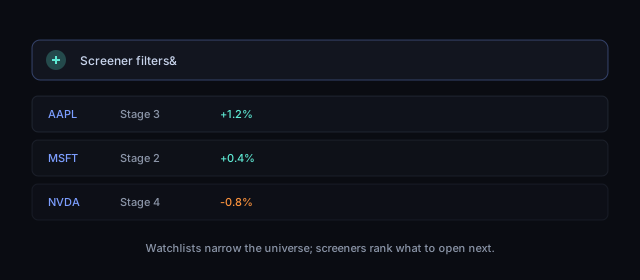
A watchlist is a named collection of symbols you want to track. Watchlists power quick navigation to symbol pages, batch analysis, and portfolio decisions (for example, comparing a candidate name against holdings).
In IRIS you manage watchlists under Watchlists in the main navigation. Each list has its own URL: /watchlist/<watchlist_id>.
What the app stores
For each list, TRINITY persists:
- Metadata — title, ordering preferences where applicable.
- Membership — tickers added or removed over time.
- Sync state — changes save through IRIS to your account-backed watchlist service so lists stay consistent across sessions and devices.
Demo deployments may offer sample watchlists during onboarding so you can explore without touching live holdings.
Symbol search and universe
Symbol search (typeahead on watchlists and screeners) and market-wide lists are powered by TRINITY’s market-data layer. Results depend on coverage, corporate actions, and exchange availability.
Practical tips:
- Prefer exact ticker entry when you know the symbol; use search when exploring.
- Verify exchange and currency on the symbol page before acting—especially for ADRs and dual listings.
- If a symbol is missing, it may be delisted, illiquid, or outside the data contract for your environment.
Market and screener views
The Market section (/market, /new-market) aggregates movers, lists, and filter-driven views. Screeners apply rules (liquidity, sector, technical flags, stage filters where shown) to reduce the universe.
Screeners are filters, not recommendations. A symbol passing a filter still requires your own thesis, position sizing, and risk checks.
From watchlist to analysis
Typical flow:
- Add symbols to a watchlist.
- Open
/symbol/<SYMBOL>for one-off depth (price, charts, ATHENA-derived stage and indicator context). - Use batch analysis (
/batch-analysis) when you want many names evaluated in one run—see the guide on analysis and symbol pages.
Integrators: watchlist and symbol-search HTTP routes are documented on the Developers site—you do not need them for everyday IRIS use.
Compliance reminder
Quotes and fundamentals may be delayed. Watchlists and screeners do not constitute investment advice or an offer to transact.
Progress is saved in this browser. Cloud sync requires PUBLIC_IRIS_API_BASE, IRIS CORS allowlist,
and window.__trinityIdToken.