Getting started with TRINITY
Orientation to the platform, paper trading, and where to find core features.
What TRINITY does
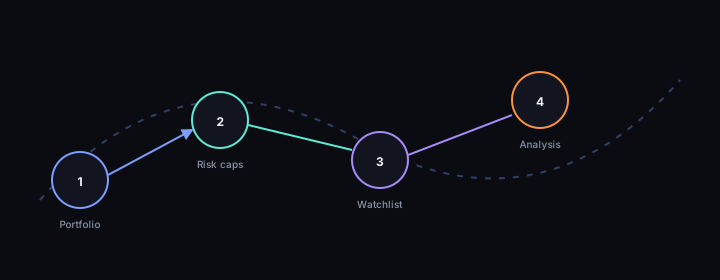
TRINITY combines portfolio tools, market analysis, and optimization workflows. The web app (IRIS) is your primary entry point for creating portfolios, running screeners, and reviewing analysis.
Paper and simulation
Many flows are designed for learning and simulation. No feature in the educational materials should be read as a promise of live trading outcomes or personalized advice.
Suggested first steps
- Create or explore a portfolio from the app home after sign-in.
- Use watchlists and the screener to narrow symbols before deeper analysis.
- Review stage and confidence concepts at a high level in the market analysis guide (educational overview only).
Your first ~20 minutes in IRIS
Use this as a trading-oriented warm-up, not a feature tour:
- Open one portfolio you will actually follow (even if it is a demo or paper context).
- Set or confirm risk caps you are comfortable with (max positions, per-trade risk, position size)—see Risk management for what those fields mean.
- Add 3–5 symbols you already understand to a watchlist; run the screener once with a tight filter so you feel the workflow.
- Open a single symbol page, read the stage and confidence labels, and write down in your own words what would make you ignore that signal (behavioral guardrail).
- Stop before Hunt, optimization, or automation until those guardrails feel natural—then continue the learning path from the hub.
Need depth?
- Retail: continue with IRIS app map and TRINITY services, Portfolio basics, and Glossary.
- Email and alerts: if you use portfolio digests, optional market-wide mail, or trade-pick notifications—read Emails and alerts in TRINITY.
- Automation: read Hunt, Cash Hunt, and optimization after risk settings make sense; then Automated trading (ARES) if your workspace uses scheduled execution.
Learning progress (optional cloud sync)
Lesson pages can save completion in your browser automatically. To also sync progress to your TRINITY account:
- Build or deploy the Learning Center with
PUBLIC_IRIS_API_BASEset to your IRIS base URL (see.env.example). - On IRIS, set
LEARNING_PLATFORM_ALLOWED_ORIGINSto include the exact static-site origin (scheme + host, e.g.https://learn.trinitytrade.io). - Provide a Firebase ID token in the page as
window.__trinityIdTokenbefore using “Mark complete,” or rely on local-only progress.
Progress is saved in this browser. Cloud sync requires PUBLIC_IRIS_API_BASE, IRIS CORS allowlist,
and window.__trinityIdToken.