Portfolio basics
How TRINITY thinks about construction, risk presets, and optimization (high level).
Construction flow (conceptual)
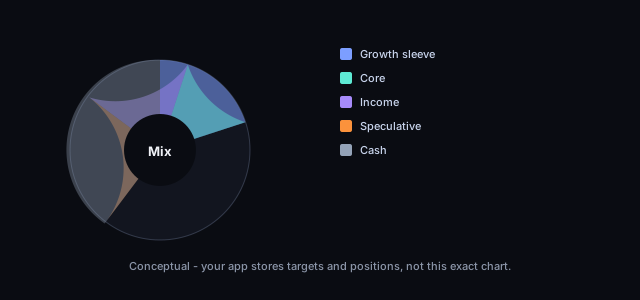
Portfolios combine your constraints—risk tolerance, number of positions, and allocation approach—with analysis inputs. IRIS is where you edit positions, settings, and alerts; Hunt and Cash Hunt use the ARTEMIS recommendation path to suggest ideas under those rules—see How Hunt and Cash Hunt fit your process. DIONYSUS proposes weights and trades when you use Optimize portfolio in IRIS (see Portfolio optimization with DIONYSUS); ATHENA supplies the stage and indicator context you see on each symbol.
In IRIS, work from Portfolios in the nav: list (/portfolio), create (/new-portfolio), and detail (/portfolio/<portfolio_id>) for positions, risk settings, and automation entry points.
Risk presets
Beginners often start with conservative presets and fewer positions. Intermediate users may explore stage-weighted or confidence-weighted ideas. Every preset still requires your judgment; tools do not replace a financial plan.
Presets interact with portfolio settings and risk settings you edit on the portfolio detail screens. Document changes you make so you can audit behavior later.
Allocation ideas (not recommendations)
| Idea | Plain language |
|---|---|
| Equal weight | Same slice to each holding—simple diversification. |
| Confidence weighted | More capital to higher-conviction signals. |
| Stage weighted | Tilts based on market-cycle stage labels from analysis. |
See the dedicated Allocation strategies guide for definitions and caveats.
Positions and cash
- Add, adjust, and remove positions from the portfolio detail UI (buttons and flows vary by deployment).
- Alerts for portfolio-level triggers are configured from the same area.
Cash availability feeds Cash Hunt and optimization—see Hunt, Cash Hunt, and optimization.
Demo portfolios
Onboarding may offer demo portfolios so you can explore without funding a real portfolio. Demo data is labeled and isolated from production portfolios in normal configurations.
Integrators: HTTP routes for portfolios and positions live in the Developers OpenAPI documentation—not needed for normal IRIS use.
What to verify in the app
- Maximum risk per trade and portfolio caps.
- Number of open positions and liquidity of names you choose.
- That you understand each suggested change before acting.
- That paper vs live execution modes match your intent (see Disclosures).
- Whether automated trading is enabled on the portfolio (
ares_automated_tradein stored settings when your deployment supports ARES)—if it is on, read Automated trading (ARES) so you know what can happen without a click.
Progress is saved in this browser. Cloud sync requires PUBLIC_IRIS_API_BASE, IRIS CORS allowlist,
and window.__trinityIdToken.